Tags:#ai-coding#steering#configuration
AI Coding with Leonard Shelby: 7 types of things I put in my rule files.
895 words · 5 min read

By Archie Cowan
Senior Prototype Developer for AWS global and strategic customers, former ITHAKA/JSTOR Chief Architect. Generative AI builder. Aspiring to do everything.
The Memory Problem
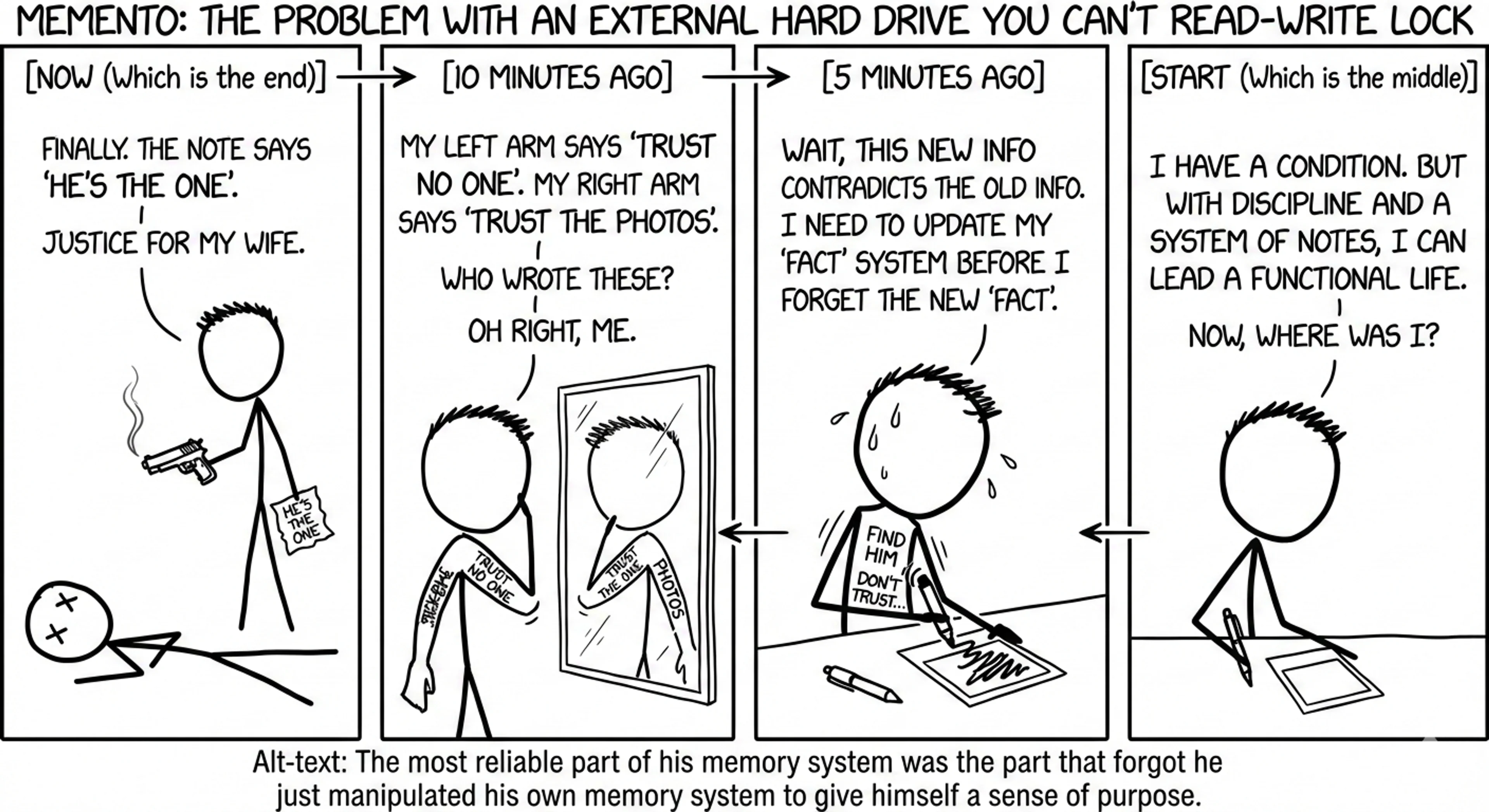
Imagine, after a head injury you only have a few minutes of short term memory before you forget everything you just did since your spouse was killed. Only you can solve her murder!
You have to come up with a system to replace your memory. Photos with notes, tattoos. This is the Leonard Shelby character from the movie Memento. This is also what it's like to work with an AI coding assistant. If you lose your context, short term memory is gone and it has to read its proverbial tattoos and notes to remember what may have just happened.
My initial experiences with AI-assisted coding felt exactly like working with Leonard before he had any systems. The AI was competent—brilliant, even—but every conversation started from scratch. No memory of yesterday's architectural decisions, no recollection of my preferences.
Each new session meant reintroductions. Here's the twisted part. I became Leonard's assistant. The AI should have been helping me code faster, but instead I was helping it understand my preferences and codebase over and over again.
Leonard's Solution for AI
As I wrote about LLMs and planning mode:
Here's a big obvious secret about AI coding: the LLM doesn't know what you want until you know what you want.
There's another layer to this problem. Even when you know what you want, the AI doesn't know how you work.
Just like Leonard needed his Polaroids and tattoos, AI assistants need their own external memory system. Every time you start a new conversation, the AI scans your repository fresh—no context about your previous decisions, no memory of the patterns you prefer, no understanding of why you've structured things the way you have.
Leonard's solution was brilliant in its simplicity: write everything down. Create a permanent record that survives the memory wipe.
Rule files are exactly that for AI—your Polaroids with notes, explaining not just what exists in your codebase, but why it exists that way. They're simple text files (usually Markdown) that contain your preferences, standards, and context. Different AI tools call them different things—steering files, system prompts, context files—but the concept is the same: persistent instructions that survive across conversations.
My External Memory System
So I built Leonard's system for AI. Here's what I put in my rule files:
-
Repository overview. A high-level view of what the repository does and how modules are structured. This saves the AI from scanning through my entire codebase every conversation just to understand the basics.
-
Scaffolding process. I often use Projen to generate and maintain my packages, which is not that common (but it's like gas on fire for my productivity). My rule files explain this upfront and list common stumbling points—like how some npm packages helpfully update package.json, which Projen controls. The AI learns to update
.projenrc.tsinstead. -
Blueprint examples. I reference specific Projen constructs for different project types. Instead of re-explaining tons of details every time, I just say "use the TypeScript Lambda blueprint" and the AI knows exactly what I mean.
-
Build system preferences. I use Nx for most projects because it understands package interdependencies and builds packages only when needed. My rule files specify which commands I prefer, so the AI reaches for
nx buildinstead ofnpm run build, for example. -
Architectural requirements. Logging standards, error handling practices, dependency policies. Even specialized stuff like how to prepare data for model training—what data sources are acceptable, where they come from.
-
Course corrections. The best part is that rule files evolve. When I teach the AI something new during a session—like preferring
uvover system Python—I prompt it to update the rule files. I don't even have to write them myself! -
Beyond coding. This pattern works everywhere. Editorial guidelines for this blog. Planning workflows for complex projects. Specialized prompts for data preparation. The same principle: define your way of working once, let the AI operate within those constraints forever.
Rule files transform AI from a generic coding assistant into your team's coding assistant.
Start Building Your Own System
Next time you start a coding session, notice how much time you spend explaining your setup or when you repeat yourself. That's your rule file content right there.
Your specific first step: Create a dedicated directory for your rule files in your project. The exact location depends on your AI tool—Kiro uses
.kiro/steering/, Cursor might use .cursorrules, others might use .ai/ or similar. Write one file called architecture.md that explains your repository structure, build system, and any unusual tools you use. Include the specific commands you prefer and common gotchas the AI should avoid.Start simple. Even a 10-line file that says "this is a Projen monorepo, update .projenrc.ts not package.json" saved me significant time in my projects.
As you work with the AI, pay attention to the corrections you make. At the end of each session, ask the AI to update your rule files with what it learned. Your constraints get smarter over time.
The AI-Driven Development Lifecycle project has excellent examples of steering files for planning and requirements gathering. As they put it:
This pattern, where AI creates a plan, asks clarifying questions to seek context, and implements solutions only after receiving human validation, repeats rapidly for every SDLC activity, to provide a unified vision and approach for all development pathways.
This is rule files in action at the enterprise level—defining not just coding standards, but entire development workflows.
What's the most annoying thing you find yourself re-explaining to AI assistants? That's probably your first rule file.
© 2025 Archie Cowan